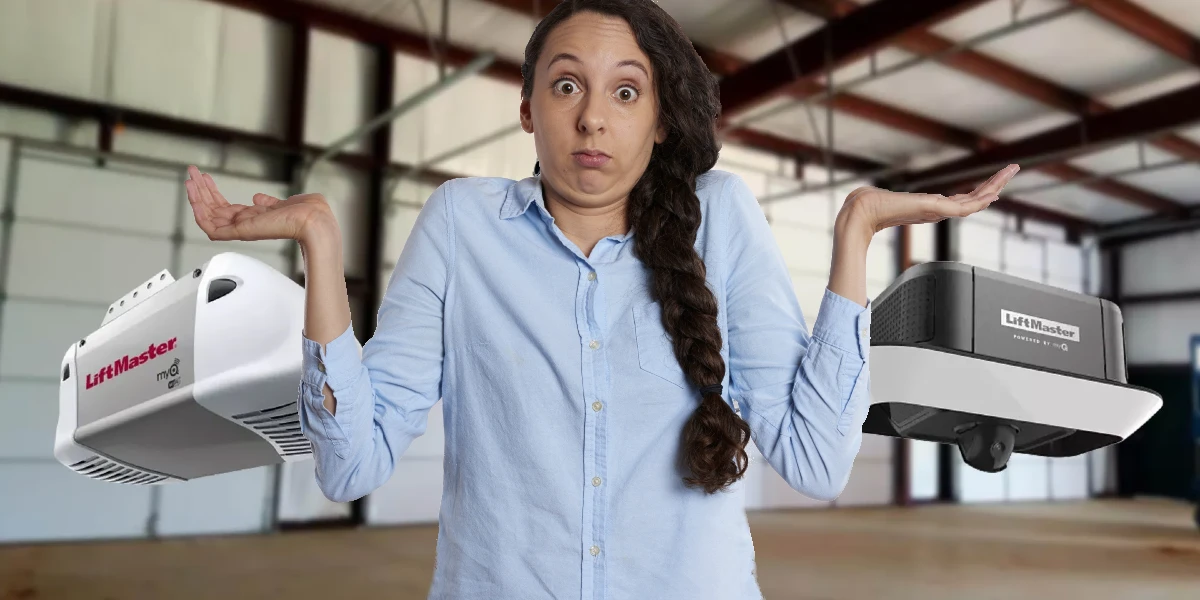

Step-by-Step Guide to Pair LiftMaster Garage Door Opener Remotes
Hey there, DIY enthusiasts and garage door warriors! Whether you’re a seasoned pro or a first-timer, programming and resetting your LiftMaster garage door opener is a task that’s easier than you might think. With this fun, quirky, yet super informative garage door opener guide, you’ll have your garage door opener operating smoothly in no time. Let’s get those doors moving!
Related Article: What Steps Should I Follow to Sync My LiftMaster Garage Door Opener With My Car?
To Pair LiftMaster Garage Door Opener You Must
Step 1: Tools and Preparations
Before we dive in, let’s gather our tools and prep for the job:
- Your trusty LiftMaster garage door opener
- Remote control(s) you wish to program
- A sturdy ladder (safety first!)
- A flashlight (for those tricky, dark corners)
- A dash of confidence and a pinch of excitement!
Programming Your LiftMaster Garage Door Opener
Step 2: Locate the Learn Button
The adventure begins with finding the Learn button on your garage door opener. This button is typically located on the back or side of the motor unit. It’s often red, orange, green, or purple.
Pro Tip: Use a flashlight to help you spot the Learn button, especially if your garage isn’t lit like a Broadway stage.
Step 3: Press the Learn Button
Climb up that ladder carefully and press the Learn button. Hold it down for about 1-2 seconds until the indicator light next to it turns on. This light signals that your garage door opener is ready to pair with your remote.
Step 4: Program the Remote
Within 30 seconds of pressing the Learn button, grab your remote and press the button you want to use to open the garage door. Hold it down until you see the lights on the motor unit blink or you hear a click. This confirms that the remote has been successfully programmed.
Pro Tip: If it doesn’t work on the first try, don’t worry! Sometimes it takes a couple of attempts to get it right.
Step 5: Test the Remote
Step off the ladder and press the button on your remote. Your garage door should start moving. If it does, congratulations! You’ve successfully programmed your LiftMaster garage door opener remote.
Resetting Your LiftMaster Garage Door Opener
If you need to reset your garage door opener, follow these steps:
Step 6: Clear the Memory
Locate the Learn button again. This time, hold it down for about 6-10 seconds until the indicator light turns off. This action clears all programmed remotes from the memory.
Step 7: Reprogram Your Remote Controls
Follow the same steps as above to reprogram your remote controls. Press the Learn button, then the button on your remote, and you’re good to go.

Programming LiftMaster Garage Door Opener to Your Car’s Homelink
Now, let’s take it up a notch and sync your LiftMaster garage door opener with your car’s HomeLink system. This will add a touch of modern convenience to your garage door experience.
Step 8: Prepare Your Car and Opener
First, park your car outside the garage. You don’t want the door to accidentally open or close while you’re programming. Ensure your LiftMaster remote control is handy.
Step 9: Clear HomeLink Memory
In your car, locate the HomeLink buttons, usually found on the ceiling or visor. Press and hold the two outer buttons simultaneously until the HomeLink indicator light begins to flash rapidly. This might take up to 20 seconds. This step clears any previous programming.
Step 10: Program the HomeLink Button
To enter programming mode, press and hold the desired HomeLink button in your car and the button on your LiftMaster remote at the same time. Hold them until the HomeLink indicator led lights in programming mode change from a slow blink to a rapid blink. This signals that the button is successfully programmed.
Step 11: Sync with the LiftMaster Garage Door Openers
Now, return to your LiftMaster garage door opener. Press the Learn button on the opener. Within 30 seconds, go back to your car and press the programmed HomeLink button for two seconds, then release. Repeat this step up to three times until the garage door moves, confirming the connection.
Step 12: Test the HomeLink
Finally, test the HomeLink button in your car. Press the button to see if it operates the garage door. If it does, you’ve successfully programmed your LiftMaster garage door opener to your car’s HomeLink system. Enjoy the added convenience of controlling your garage doors right from your vehicle!

Programming the LiftMaster Garage Door Remote
Adding more remotes to your LiftMaster opener system? No problem! Here’s how to do it:
Step 13: Press the Learn Button
Locate the Learn button on your garage door opener and press it once. The indicator light will turn on, signaling that the system is ready to pair.
Step 14: Program the Remote
Within 30 seconds, press and hold the button on your remote control that you want to use to open the garage doors. Hold it until the led indicator light on the motor unit blink or you hear a click, indicating that the remote has been successfully programmed, and it starts to exit programming mode.
Step 15: Test the New Remote
Test the new remote by pressing the button you just programmed. If the garage doors open or close, you’ve successfully added another remote to your system.
Clearing ALL Remote Control from Your Opener’s Memory
If you need to reset all programmed remote control, follow these steps:
Step 16: Press and Hold the Learn Button
Locate the Learn button on your garage door openers. Press and hold it for about 6-10 seconds until the indicator light turns off. This action clears all remotes and keypads from the system’s memory.
Step 17: Reprogram Your Remote Control
After clearing the memory, you’ll need to reprogram all the remotes you want to use with the garage door opener. Follow the steps in the Programming Mode in the LiftMaster Remote section to add each remote back to the system.

Additional Tips and Tricks
- Battery Check: If your LiftMaster garage door remote isn’t working, the first thing to check is the battery. A fresh battery can often solve the problem.
- Signal Range: Remember, your LiftMaster opener remote has a range. If it doesn’t work from a distance, try moving closer to the garage door.
- Rolling Codes: LiftMaster opener uses rolling codes for enhanced security. Each time you use the remote, it generates a new code, making it difficult for intruders to crack.
Troubleshooting Common Issues
- No Response: If your LiftMaster openers doesn’t respond, try resetting the system by unplugging it, waiting a few minutes, and plugging it back in.
- Interference: Other wireless devices can interfere with the signal. Try turning off other devices to see if it helps.
- Owner’s Manual Assistance: When in doubt, consult the owner’s manual. It’s packed with model-specific tips and tricks. Programming and resetting your LiftMaster garage door opener doesn’t have to be a chore. With this comprehensive guide, you’re equipped to handle the task like a pro. Whether you want to ‘program your remote button, fix a programmed button, syncing your opener with your car’s HomeLink system, or clearing all remotes from the memory, we’ve covered it all. Now, go ahead, program that remote control button, reset that opener, and enjoy the convenience of smoothly operating garage doors.
Remember, a well-functioning garage door opener adds a touch of modern convenience to your life, making everyday tasks a breeze. So, follow these steps, and you’ll be the hero of your household, effortlessly managing your garage doors like a tech-savvy pro.
Got any tips or stories to share? Drop them in the comments below. Happy programming!